
Personal Expense Tracking
Understand what expense tracking is and why it matters for everyday life.
No card required.
How it works
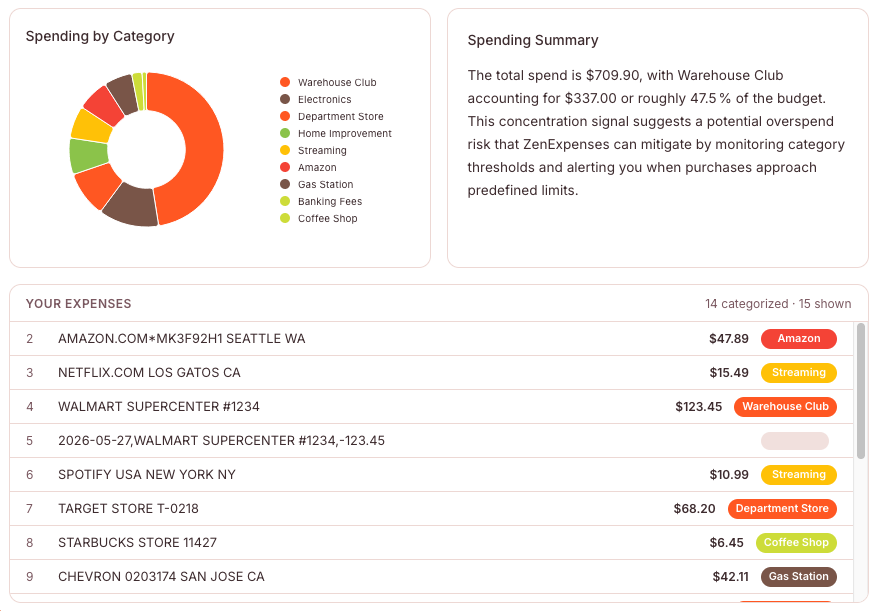
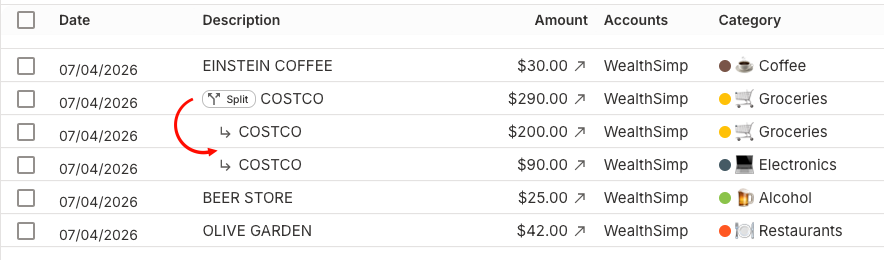
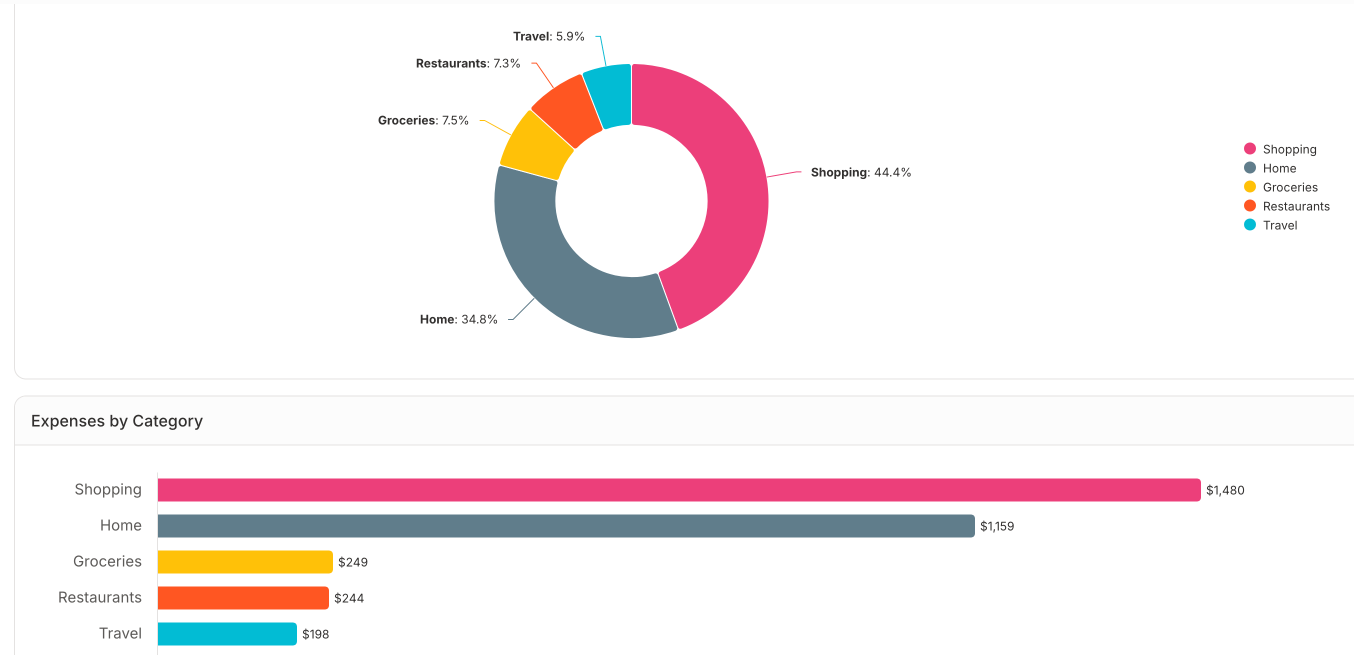
Drag and drop your transactions in CSV, Excel, or QuickBooks, or enter them manually. We take care of automatically categorizing your expenses so you can see where your hard-earned money got spent.
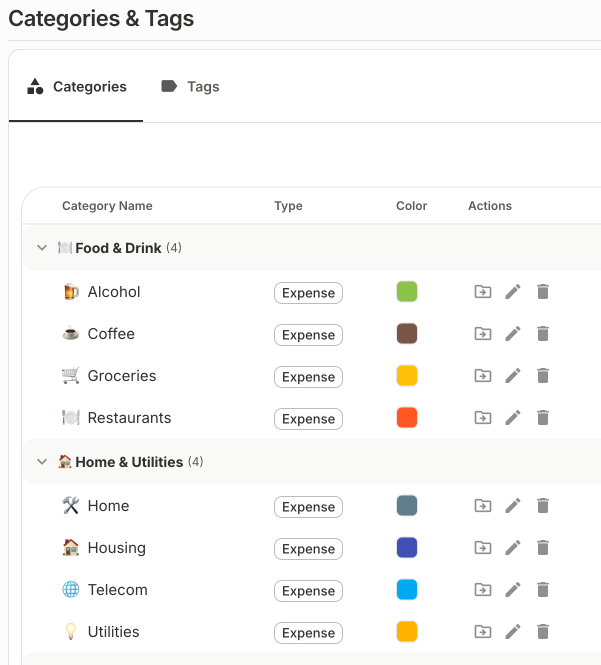
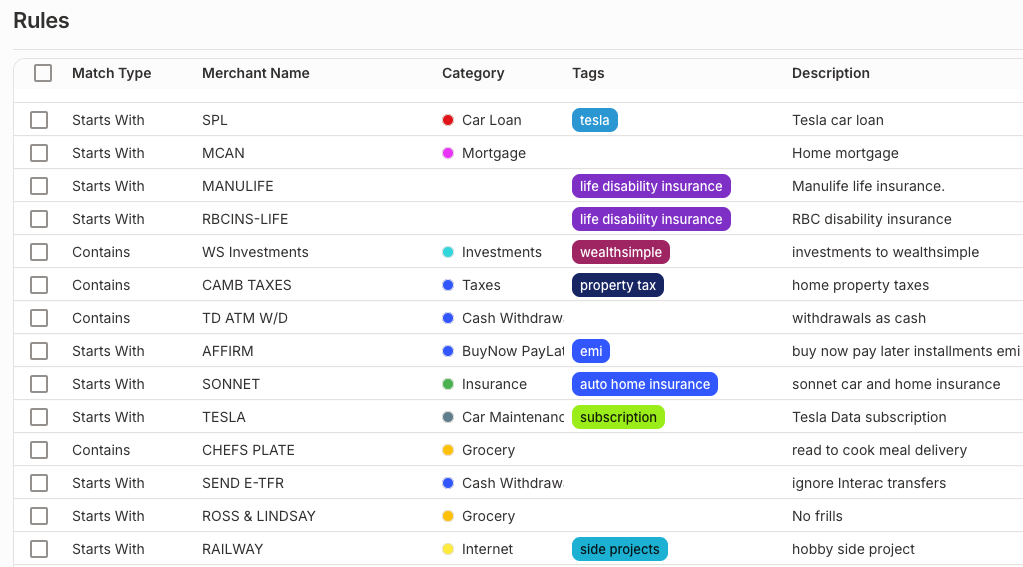
Your transactions are categorized automatically. Don't like the categories? Add your own, and write rules so future imports follow them. You can also attach multiple tags to any transaction.
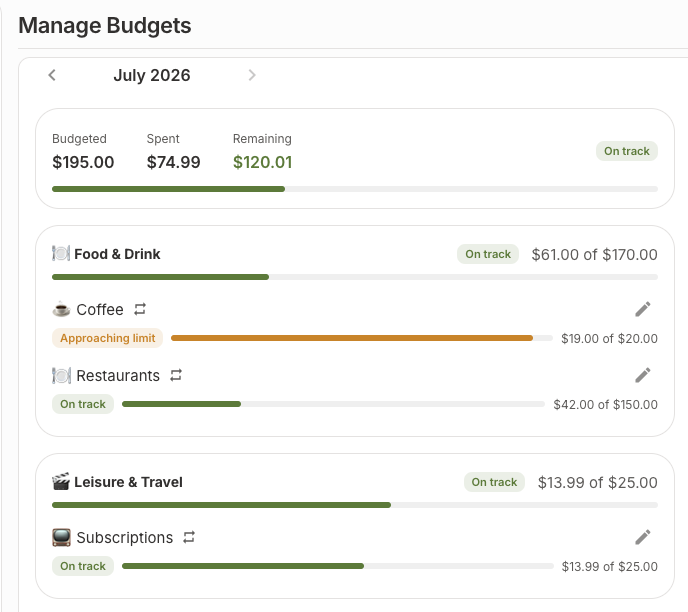
Set a monthly budget for each category and follow your progress as spending comes in, so you always know what's left before the month is out.
You are now in control of your spending. Good job!
Features
New: set a monthly budget per category and watch how close you get. ZenExpenses shows what's left to spend and gives you a heads-up before you overshoot.
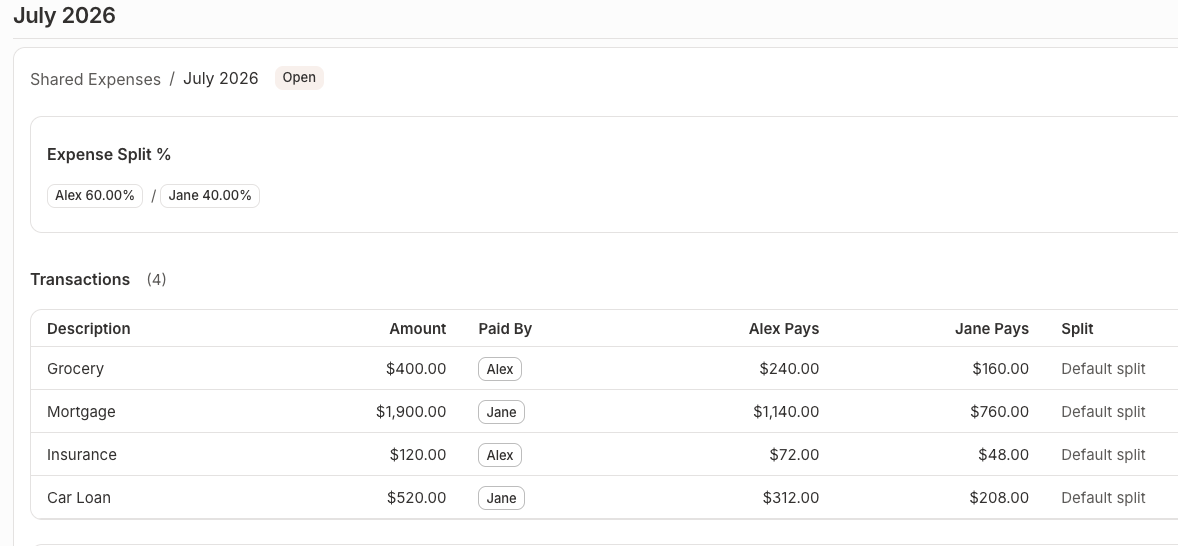
A simple calculator to split monthly expenses among couples and roommates. Add who paid what, decide how to split, and see who owes whom, separate from your bank transactions.
ZenExpenses spots subscriptions and recurring charges across your accounts, gym, streaming, that app you forgot about, so you can see exactly what's coming out every month.
Get automatic suggestions on where you could spend less. ZenExpenses flags categories that crept up, duplicate subscriptions, and small habits that quietly add up.
Break broad categories into subcategories, groceries into food, household, and treats, so you see spending at exactly the level of detail you want.
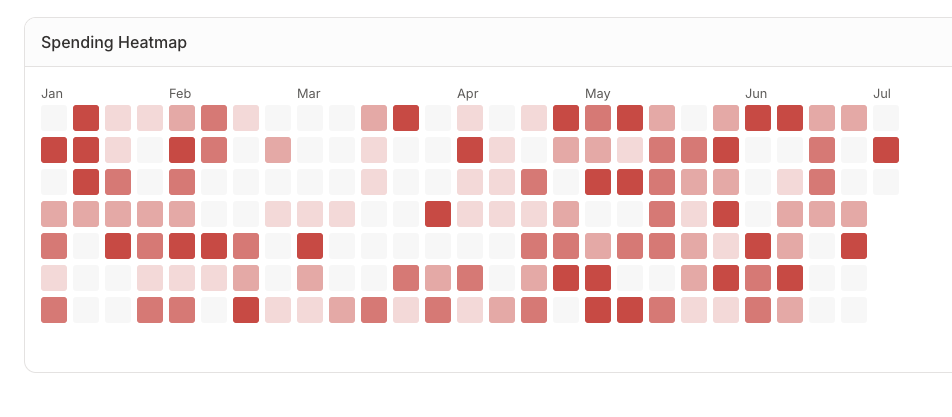
A calendar heatmap paints your heavy spending days in colour, so the weekends, paydays, and splurges jump out at a glance.
Set your currency locale and ZenExpenses speaks it. Amounts, formatting, and symbols match where you live, no awkward dollar signs on euro statements.
English and French today, with locale-aware date and number formats. The interface speaks the way you do, wherever you bank.
ZenExpenses is built and maintained by one developer, you get direct customer support, fast iteration, and a roadmap shaped by people who actually use the product.
Understand what expense tracking is and why it matters for everyday life.
Download statements from your bank and upload them to ZenExpenses.
Create rules once and let future imports sort themselves automatically.
Track who paid what and settle up without the awkward math.
A simple system for sorting transactions into categories that matter.
How budgeting and expense tracking differ, and why you want both.
Write rules once and new transactions categorize themselves on import.
Make sense of the columns, codes, and formats banks use.
See how ZenExpenses compares to the popular budgeting apps.
Fair ways for couples to divide rent, bills, and shared costs.
Questions
Yes, free for everyone while we're getting started. Pricing will come later, and you'll have plenty of notice before anything changes.
Any bank that lets you export CSV, Excel, or QuickBooks statements, which is most of them. Date formats and column orders are detected automatically.
Yes. Upload as many statements as you want, in any order. Imports run in the background, so large files don't block the app.
Yes. Pick your currency locale in settings, ZenExpenses uses it for amounts, symbols, and number formatting throughout the app.
Export everything to CSV or Excel, transactions, categories, tags, and rules, and delete your account. No retention games.